How to Relieve Digital Eye Strain: Effective Tips for Long-Term Comfort
In today’s fast-paced digital world, screens are an inescapable part of daily life. Whether you're working on a computer, scrolling through your phone, or binge-watching your favorite show, prolonged screen time can lead to a condition known as digital eye strain. This common issue affects millions and can cause symptoms like dry eyes, headaches, blurred vision, and neck pain. The good news is that there are practical, science-backed strategies to relieve digital eye strain and protect your long-term eye health.
This article will guide you through the causes of digital eye strain, how to recognize its symptoms, and most importantly, actionable steps to reduce discomfort and maintain visual comfort. Whether you’re a student, a professional, or simply someone who spends hours online, these tips will help you navigate the digital age with ease.
Understanding Digital Eye Strain
Digital eye strain, also known as computer vision syndrome (CVS), occurs when your eyes become fatigued from extended use of digital devices. According to the American Optometric Association, the average American worker spends seven hours a day on a computer, either at work or from home. This constant exposure to screens can lead to significant eye discomfort if not managed properly.
The primary causes of digital eye strain include:
- Reduced blinking: When focused on a screen, people tend to blink less than half as often as normal, leading to dryness and irritation.
- Blue light exposure: Screens emit blue light, which can penetrate deep into the eye and contribute to fatigue and disrupted sleep patterns.
- Poor ergonomics: Incorrect screen positioning, lighting, and posture can force your eyes and body to work harder, increasing strain.
These factors, combined with uncorrected vision problems, can make digital eye strain more severe and persistent.
Recognizing the Symptoms
If you spend long hours in front of a screen, you may experience one or more of the following symptoms:
- Eye fatigue or dryness
- Blurred or double vision
- Headaches
- Neck and shoulder pain
- Sensitivity to light
These symptoms often worsen over time if left unaddressed. However, they are typically temporary and can be alleviated with proper care and adjustments.
Practical Strategies to Relieve Digital Eye Strain
Relieving digital eye strain doesn’t require major lifestyle changes—just small, consistent habits that can make a big difference. Here are some effective strategies:
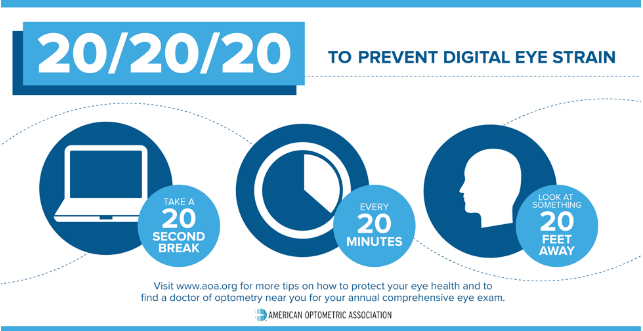
1. Follow the 20-20-20 Rule
One of the simplest and most effective ways to reduce eye strain is the 20-20-20 rule:
- Every 20 minutes, look 20 feet away for at least 20 seconds.
This practice helps relax the eye muscles and prevents them from becoming overworked. It’s easy to incorporate into your routine and requires no special tools or equipment.
2. Adjust Your Screen Settings

Optimizing your screen settings can significantly reduce eye strain. Consider the following adjustments:
- Increase text size to reduce squinting.
- Adjust brightness and contrast to match ambient lighting.
- Use dark mode or blue light filters to minimize eye fatigue.
Many devices now have built-in features like “night mode” that automatically adjust screen color temperature based on the time of day.
3. Blink More Frequently
As mentioned earlier, reduced blinking is a major contributor to dry eyes. Make a conscious effort to blink more often while using screens. If dryness persists, consider using lubricating eye drops recommended by an eye care professional.
4. Wear Blue Light Protection Glasses
While blue light isn’t the sole cause of digital eye strain, it can contribute to fatigue and disrupt sleep cycles. Blue light glasses with specialized lenses can help filter out harmful wavelengths, reducing eye fatigue and improving sleep quality. Consult an optometrist to find the right pair for your needs.
5. Maintain Proper Screen Distance and Posture
Proper ergonomics play a crucial role in preventing eye strain. Keep your screen at arm’s length (about 25 inches) and position the top of the screen at or slightly below eye level. Sit with a straight posture and ensure your back is supported. These adjustments help reduce both eye and physical strain.
6. Take Regular Breaks
In addition to the 20-20-20 rule, take short breaks every hour. Walk around, stretch, or simply look out the window for a few minutes. These pauses give your eyes and body a chance to recover and reset.
7. Practice Simple Eye Exercises
Simple exercises can help strengthen your eyes and relieve strain. Try:
- Palming: Rub your hands together and gently place your palms over your eyes for a few minutes.
- Focus shifting: Look at an object near you, then shift focus to a distant object. Repeat several times.
- Eye rolling: Slowly roll your eyes in a circular motion to relieve tension.
These exercises can be done during breaks and help keep your eyes relaxed.
When to See an Eye Specialist
If you experience persistent eye strain, headaches, or blurry vision, it may indicate an underlying vision problem. A comprehensive eye examination can identify issues such as uncorrected refractive errors, focusing difficulties, or other conditions contributing to digital eye strain. At Thind Eye Hospital, our team of experienced ophthalmologists and optometrists specialize in digital eye strain prevention and offer customized solutions to help screen users maintain optimal eye health.
Final Thoughts
Digital eye strain is a growing concern in our increasingly screen-dominated world, but it’s entirely manageable with the right strategies. By making small adjustments to your habits, environment, and screen use, you can significantly reduce discomfort and protect your long-term vision health.
Remember, your eyes are precious, and taking care of them doesn’t have to be complicated. Incorporate these tips into your daily routine, and you’ll be well on your way to experiencing greater comfort and clarity in your digital life. Stay informed, stay proactive, and never underestimate the power of a simple break.

Post a Comment for "How to Relieve Digital Eye Strain: Effective Tips for Long-Term Comfort"
Post a Comment